
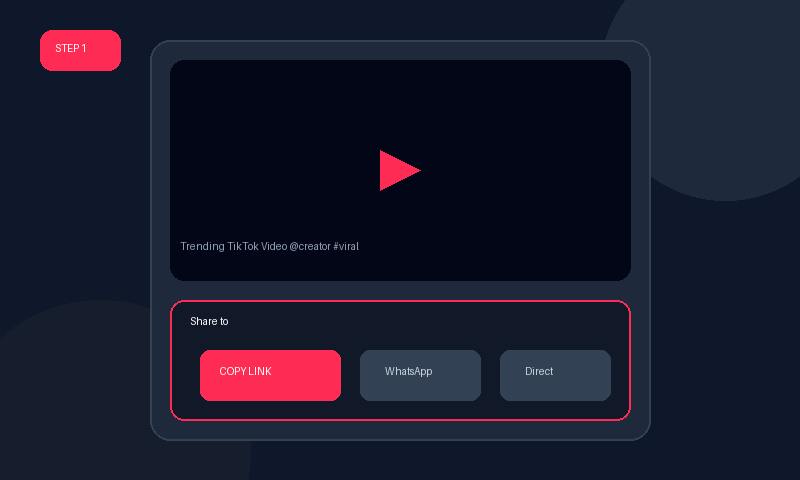
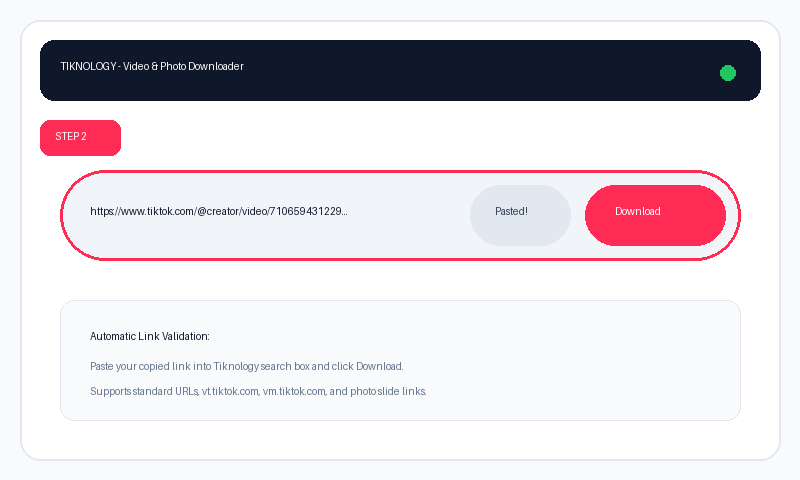
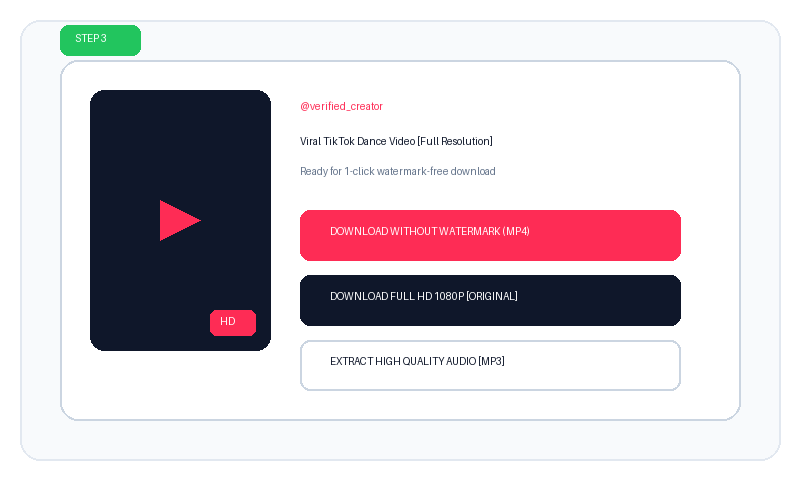
Why Choose Our TikTok Video Downloader No Watermark?
When downloading videos directly inside the official TikTok app, the platform automatically stamps a distracting bouncing TikTok logo along with the creator's username onto the video frames. If you want to repurpose your content for Instagram Reels, YouTube Shorts, presentation slides, or keep an archive for personal offline study, a tiktok video downloader no watermark hd is essential.
Tiknology bypasses the client-side watermark stamping by accessing the clean, raw source MP4 stream directly from TikTok's Content Delivery Networks (CDN). This ensures you get the exact video file recorded by the camera in pristine high quality.
Online Web Tool vs. Chrome Extension & Apps
Many users search for a tiktok video downloader no watermark chrome extension or a tiktok video downloader no watermark app. While browser extensions and mobile APKs exist, they frequently pose significant privacy and security risks:
- No Suspicious Permissions: Third-party Chrome extensions often request permissions to "read and change all your data on websites you visit". Tiknology requires zero installation and zero browser permissions.
- Cross-Device Compatibility: Unlike an APK that only works on Android, our web tool runs seamlessly on iOS Safari (iPhone/iPad), Android devices, Windows, macOS, and Chromebooks.
- Reddit Favorite: Discussions on tech forums and Reddit frequently highlight Tiknology as a top recommendation because it does not bombard users with pop-under ads or force app downloads.
Full HD 1080p and 4K Ultra Quality Support
Many online downloaders compress videos down to 480p or 720p to save server bandwidth. With our tiktok video downloader no watermark 4k and hd free technology, you receive the maximum bitrate and original resolution uploaded by the creator, ensuring razor-sharp clarity and perfect color reproduction.
Key Highlights of Tiknology:
- 100% Free & Unlimited: Download as many videos as you want daily with zero restrictions.
- Clean MP4 Format: Plays out-of-the-box on VLC, Windows Media Player, QuickTime, CapCut, and Adobe Premiere.
- Integrated Audio Extractor: Need just the trending sound? Easily extract high-bitrate MP3 audio with a single click.
- High-Speed Servers: Powered by optimized cloud servers for instant processing in under 2 seconds.